Cross-architecture Android builds
An Android app with native code (Rust, C++) has to ship for multiple architectures: arm64-v8a (most phones), armv7-a (older devices, still in use), and x86_64 (emulators, Chromebooks). A single APK has to contain code for all three, and each architecture is its own little minefield.
The traps below are all things I genuinely ran into. Visible in CI failure logs and Play Store rejections; far less visible before then.
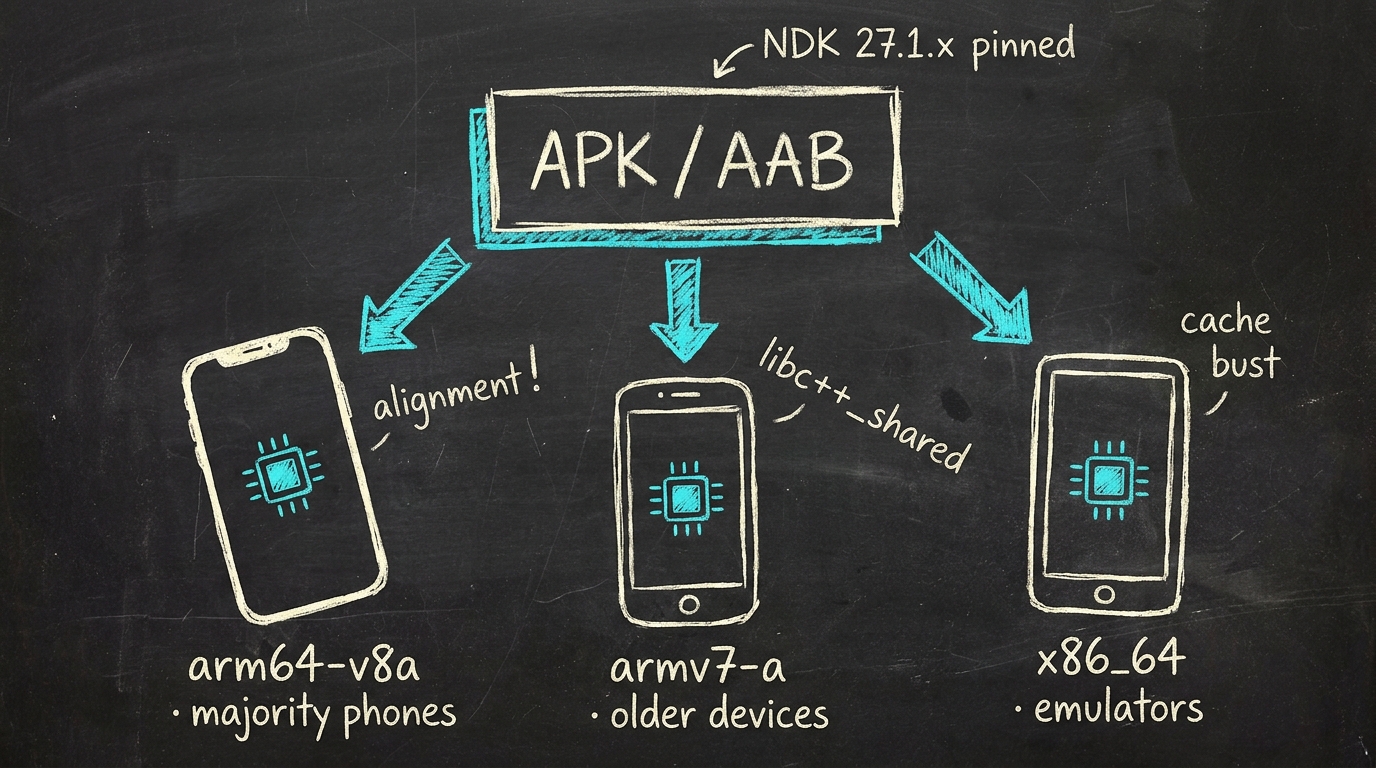
Whiteboard sketch · three architectures, one APK
Trap 1: Struct alignment on x86_64 vs arm
The most painful one. Rust's #[repr(C)] does not guarantee the same
byte layout across architectures unless you also explicitly pin the
alignment. A struct like:
#[repr(C)]
pub struct StepEvent {
    pub note: u8,        // 1 byte
    pub velocity: u8,    // 1 byte
    pub time_ms: u64,    // 8 bytes, alignment differs
}
On arm64 this naturally gets padded to 16 bytes. On 32-bit x86 the
compiler can pack it down to 12 bytes if you don't specify
repr(C, align(8)). The result: same struct, different sizes across
architectures, FFI calls reading garbage.
Fix: always pin the alignment explicitly for structs that cross the FFI boundary, or lay the structs out so they're naturally aligned (group fields of the same size together).
Trap 2: NDK version drift
The Android NDK has supported AAudio since a specific version, and that API has evolved over the years. Build with NDK 25 and you get one behavior; build with NDK 27 and you get another (often better, but different).
Pin your NDK version explicitly in build.gradle or eas.json:
ndkVersion = "27.1.12297006"
If you don't, EAS Build (or whatever cloud build system you use) can pick up a "newer is better" default that subtly breaks your audio path every few weeks.
Trap 3: libc++_shared.so duplicate symbols
If you have more than one native library in the APK, each with its own
linkage to libc++_shared.so, you can get "duplicate symbol" linker
errors at runtime. Symptom: the app crashes on launch on one architecture,
with a stack trace deep inside libc++ initialization.
Fix: make sure all native libraries in the APK use the same C++ shared
runtime. If you control the build: force -DANDROID_STL=c++_shared
everywhere. If a dependency ships its own static C++ runtime: rebuild or
replace that dependency.
Trap 4: EAS Build cache surprises
Cloud build systems like EAS cache native compilation artifacts
aggressively. Change a flag, push, and you can get a build that succeeds
but contains stale .so files for one architecture. The symptom is "works
on my device, not on this one".
The fix is annoying but reliable: as soon as you change anything in the native build pipeline, bump a cache-bust value (a version number, a timestamp in a build env) so the cache invalidates. Don't trust the cache to be smart.
Trap 5: Single APK vs split APKs
For a long time the Play Store recommended split APKs (one per architecture) to keep download size small. With App Bundles (AAB) that's handled automatically. But if you still ship APKs directly (for testing, internal distribution, sideloading), make sure you build a universal APK that contains all three architectures.
EAS Build config:
"android": {
  "buildType": "apk",
  "image": "latest"
}
The universal APK is ~3x larger, but it's the only thing that installs on every device you want to test. AAB for the Play Store, universal APK for everything else.
Verification: what you actually need to check
After a successful build, before you ship:
- Install on a real arm64 device: the primary path, has to work
- Install on an x86 emulator: catches alignment bugs that arm64 hides
- Install on an armv7 device or emulator: catches issues that only show up on 32-bit
- Run the audio path on all three: alignment bugs often show up as audio dropouts, not as crashes
- Check
adb logcat | grep -i "alignment\|symbol\|libc++": surfaces failures that don't crash visibly
If all three architectures pass the audio-path smoke test: ship. arm64 works but x86 fails? An alignment issue somewhere. armv7 works but arm64 doesn't? A 64-bit pointer issue somewhere. Diagnose by elimination.
When this matters
For most React Native apps this is invisible. The framework handles the native compilation, you never see the NDK underneath. For apps with their own native code (a Rust audio engine, C++ DSP, whatever) everything above is yours to own.
The investment pays off, because once it works, it keeps working. The discipline is in the verification loop: every native-code change goes through a multi-arch test pass before you trust it.